I Built My Own Cloud Using an Old Laptop (It Started as a $0 AI Experiment)
Intro — This Was Never Supposed to Become a Cloud 😅
I wanted to build an AI agent development environment without spending money — a local setup where AI could help me build projects, write code, maintain context, and automate development on my own hardware. Cloud GPUs and paid infrastructure didn't make sense for experiments, so I looked at my old laptop and asked:
"Can this become my own VPS?"
That single question accidentally became one of my best projects.
What started as running a few AI containers slowly turned into:
- self-hosted databases
- monitoring systems
- remote networking
- deployment pipelines
- CI/CD
- reverse proxies
- self-hosted PaaS
- public internet routing
Today that same laptop behaves more like a small personal cloud than a development machine.
This blog covers the full journey — what I built, why, what failed, and what I learned.
Gallery
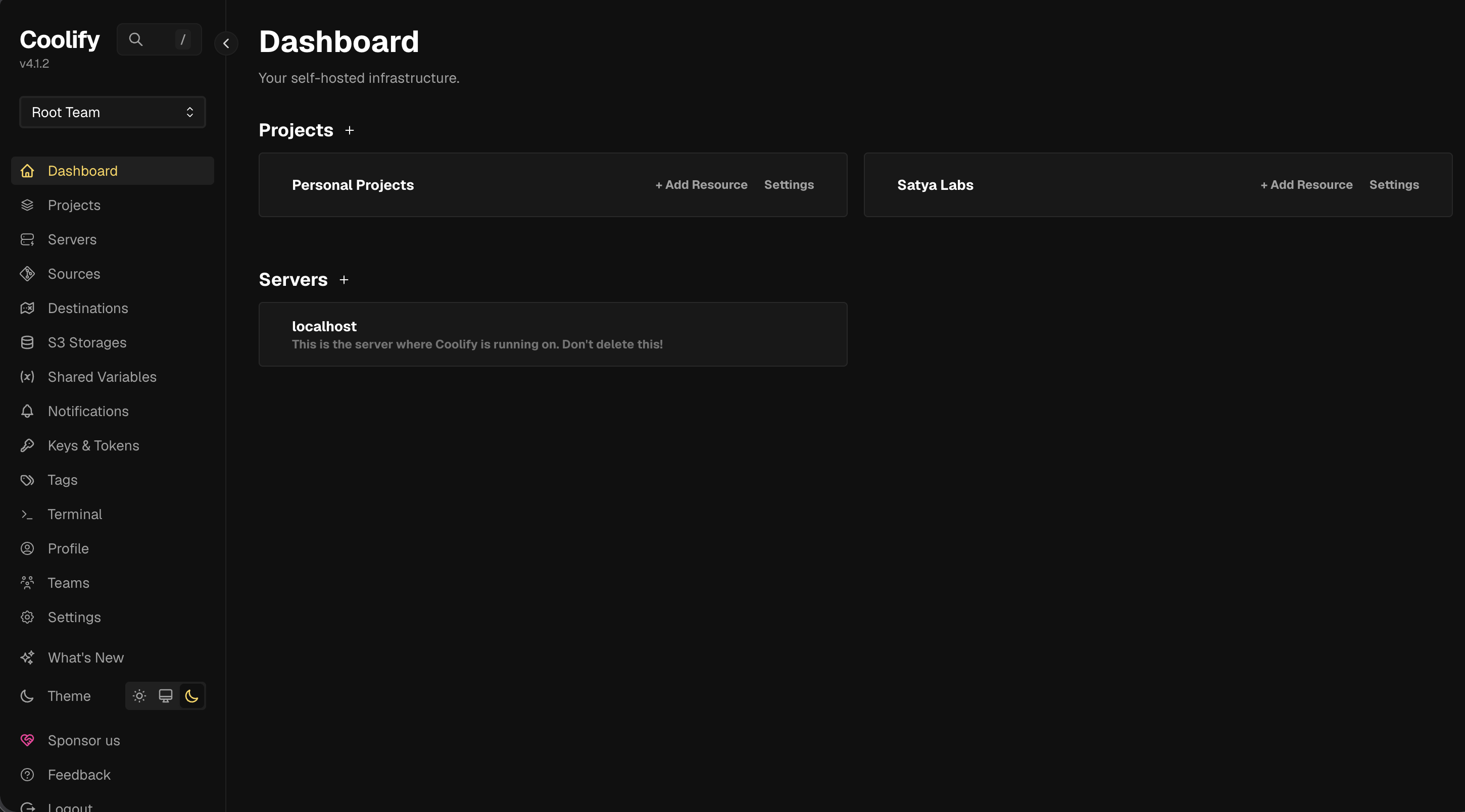
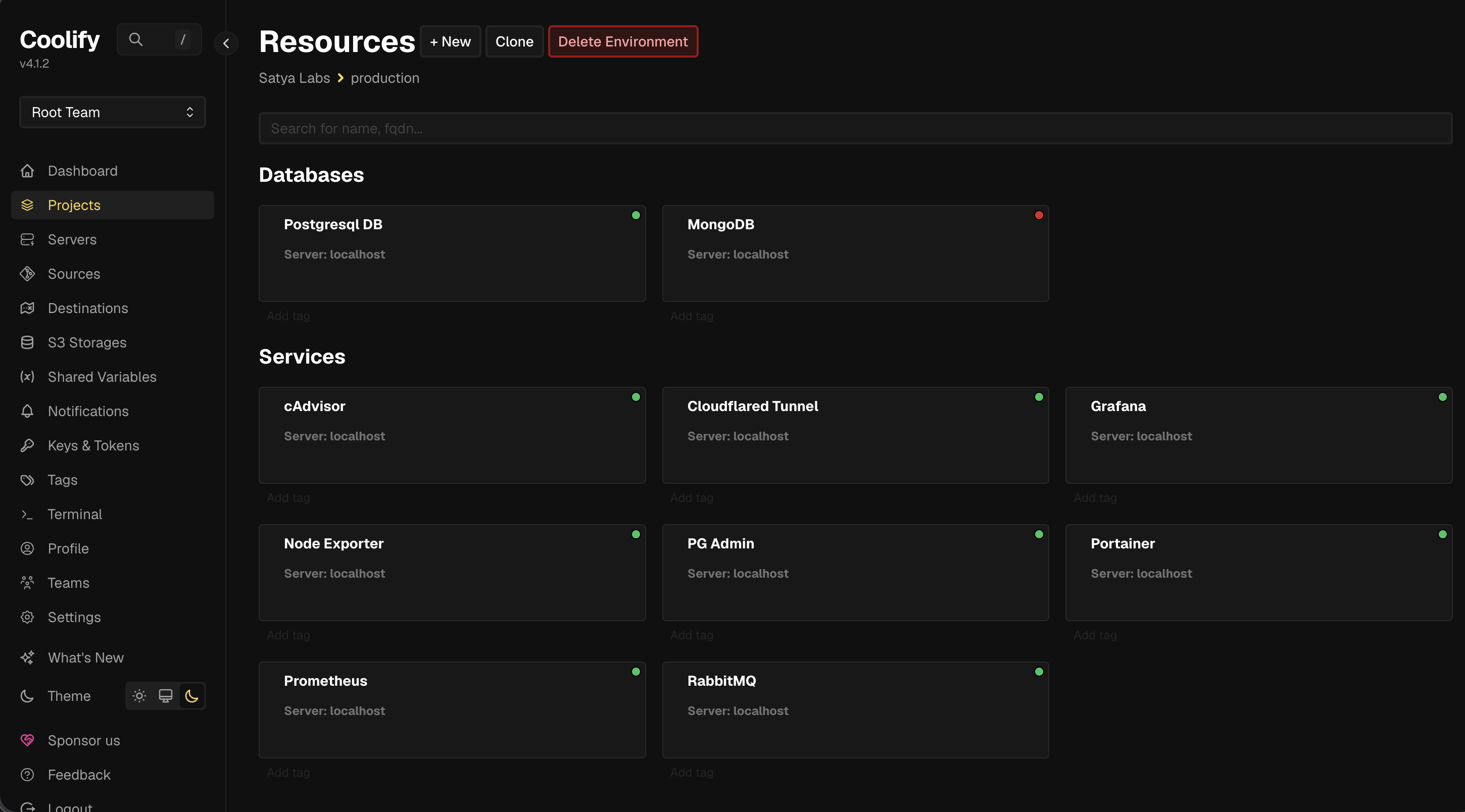
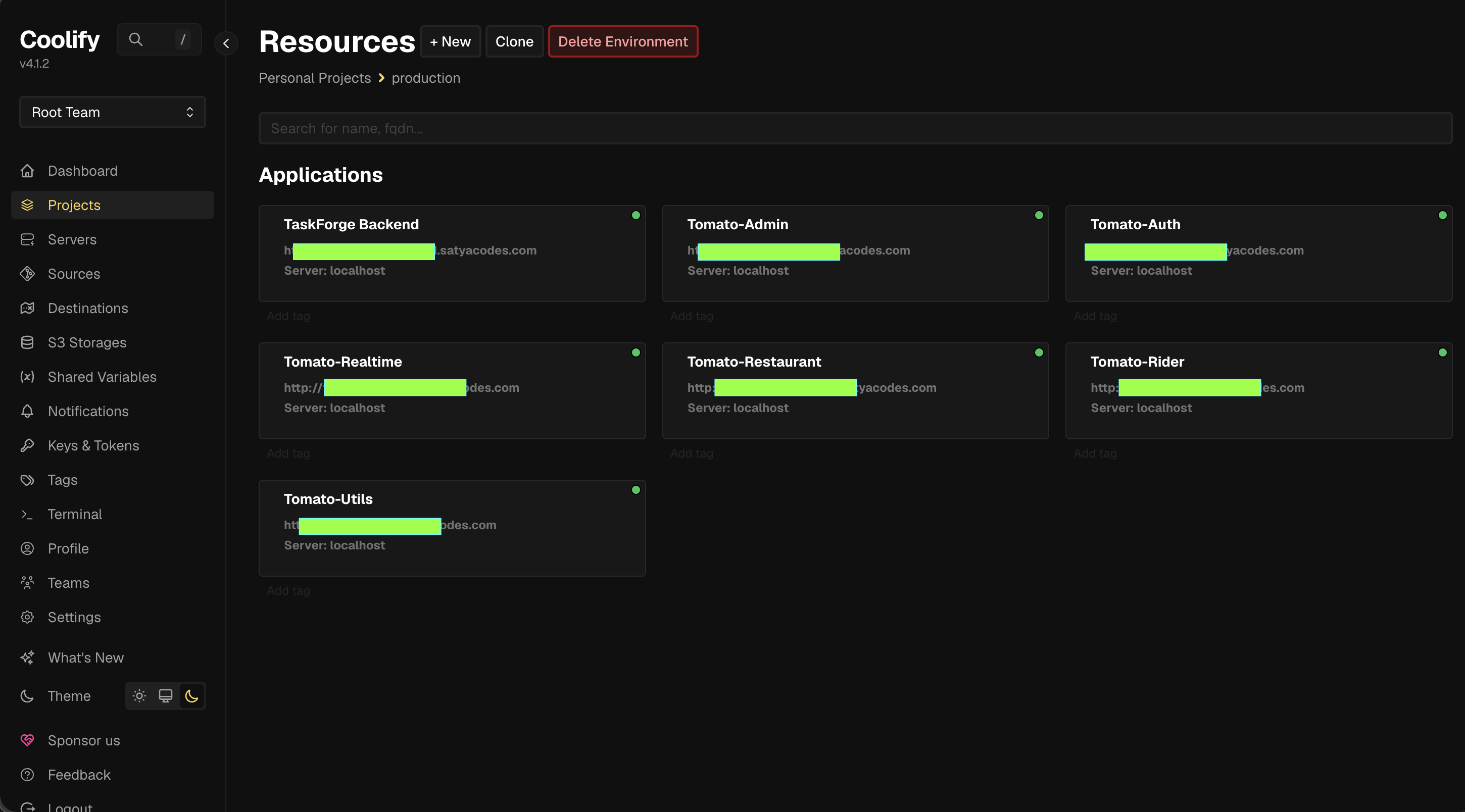
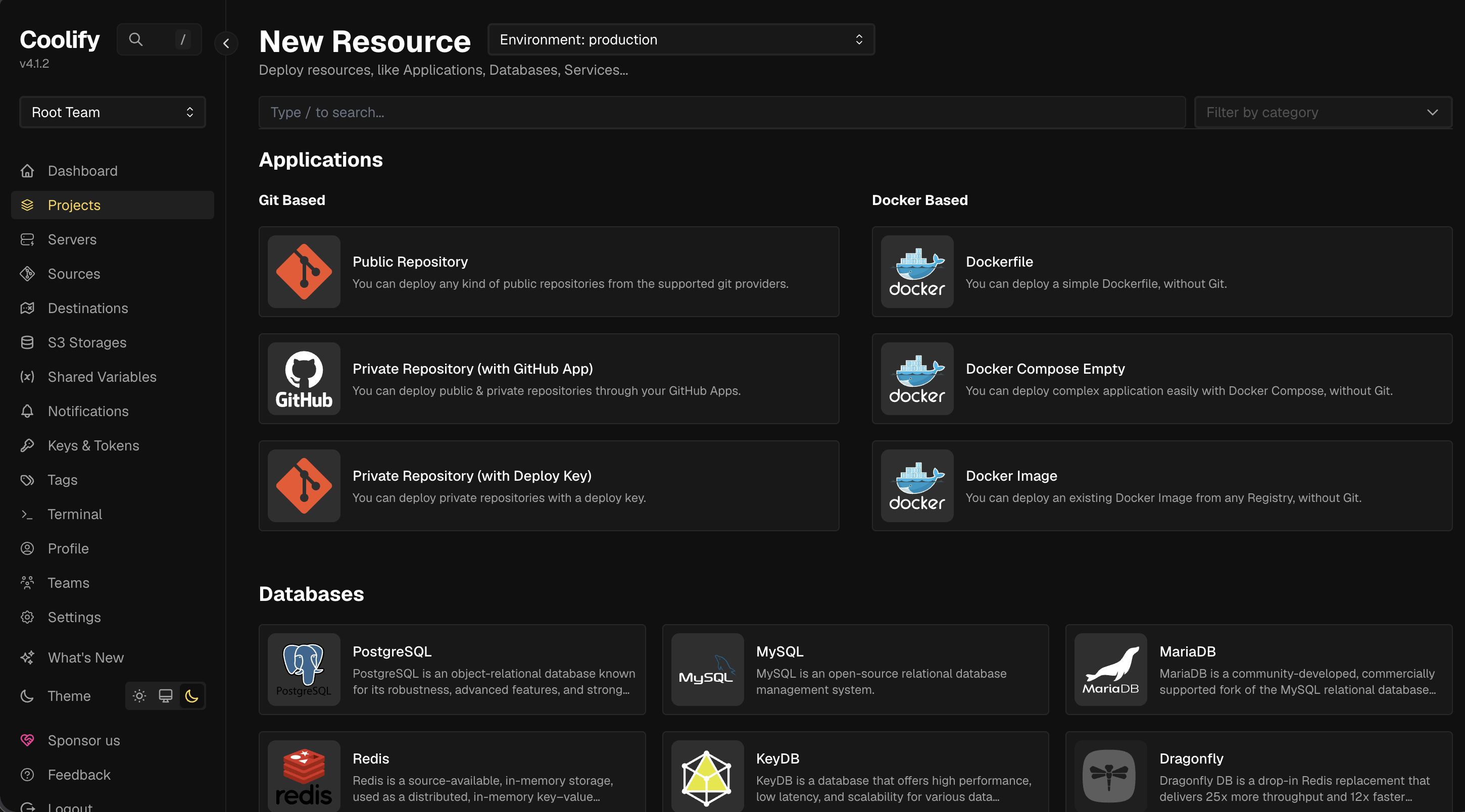
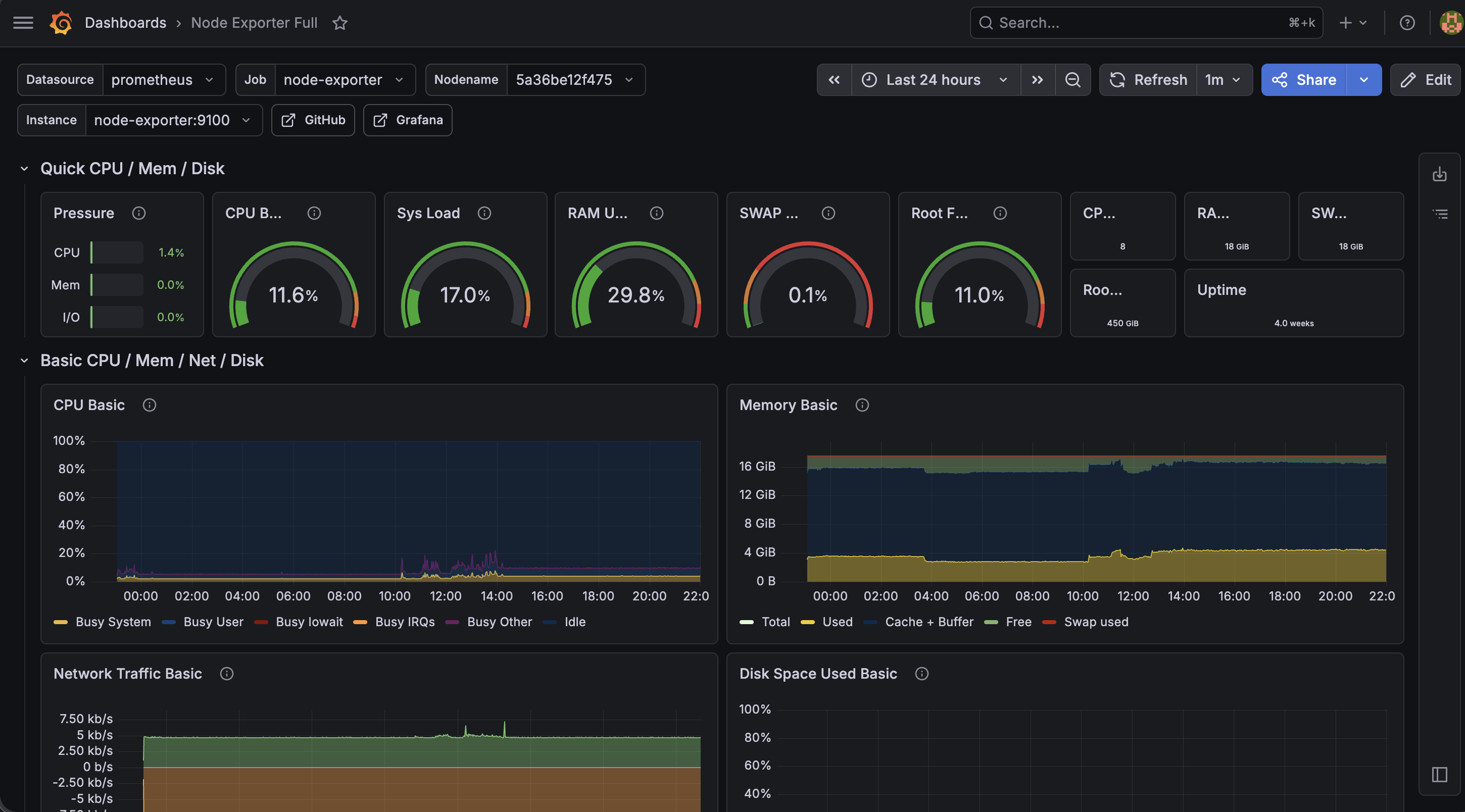
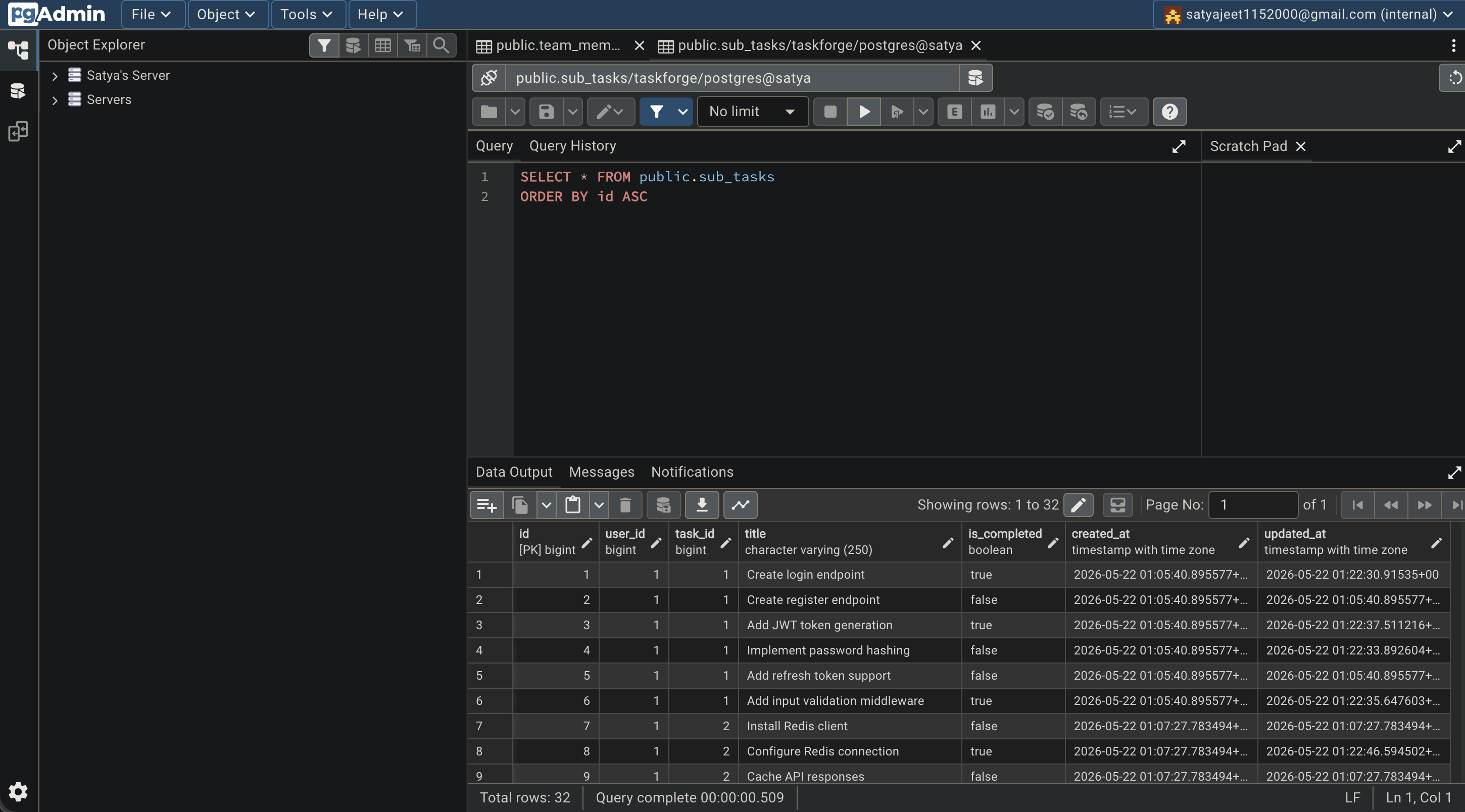
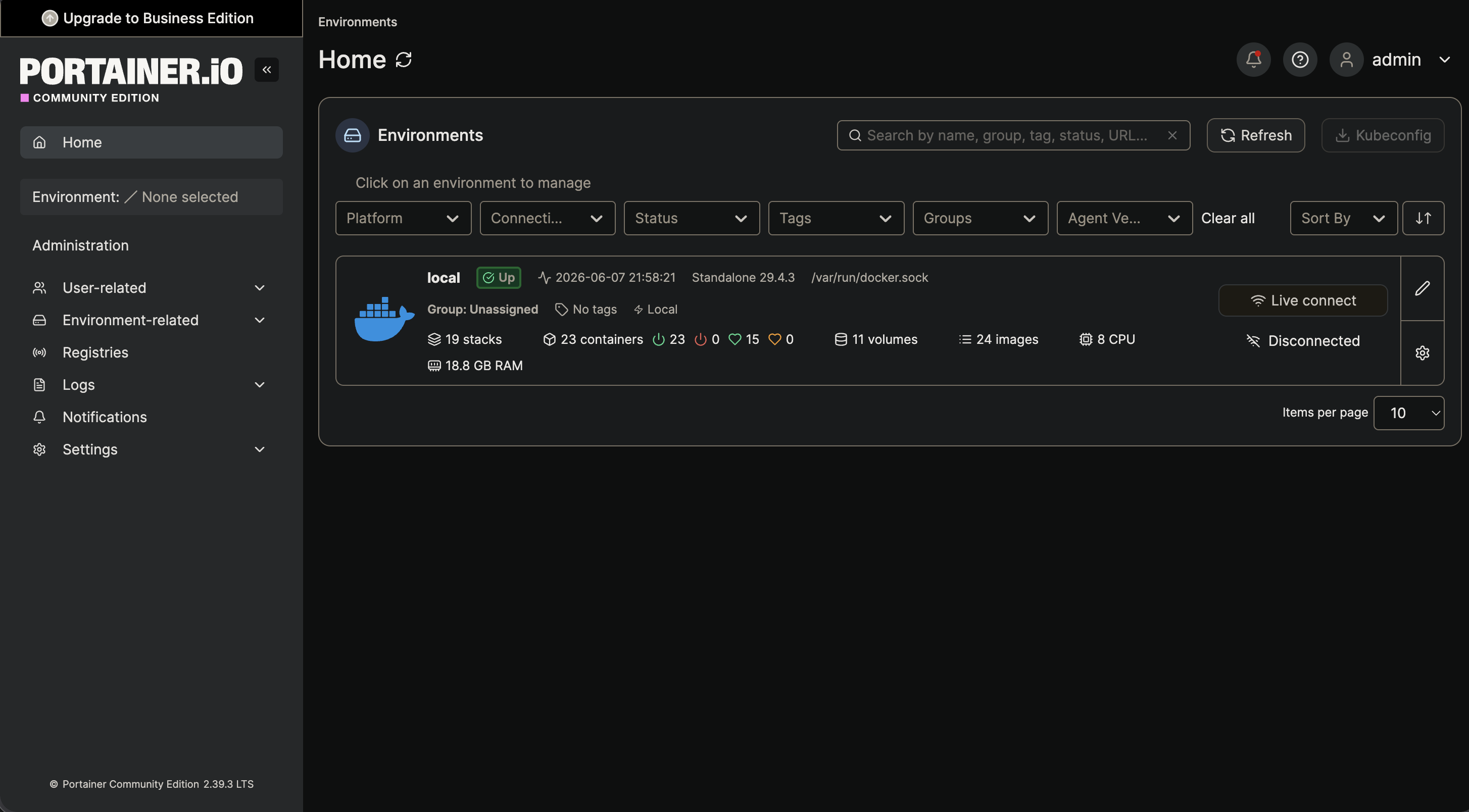
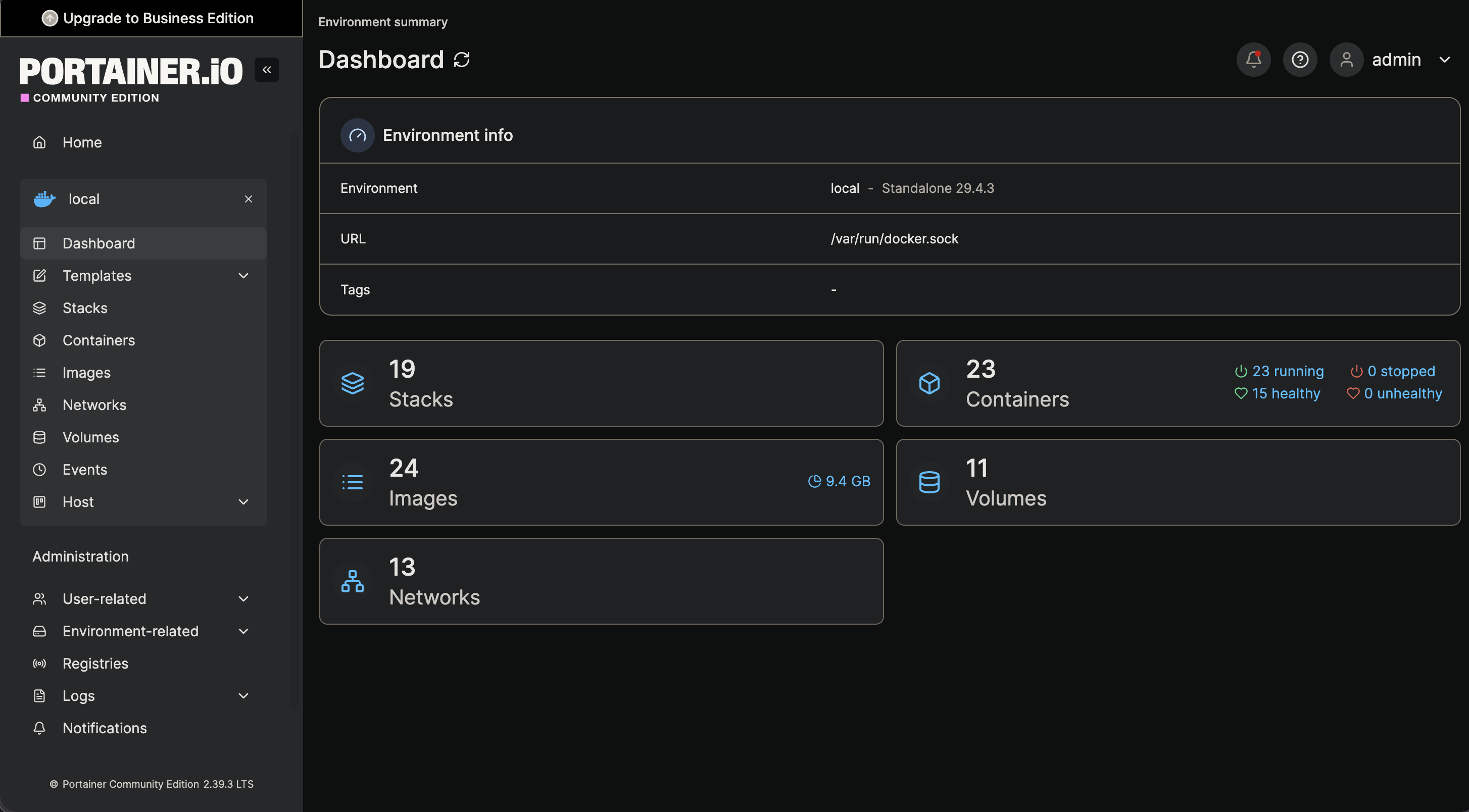
Infrastructure Screenshots
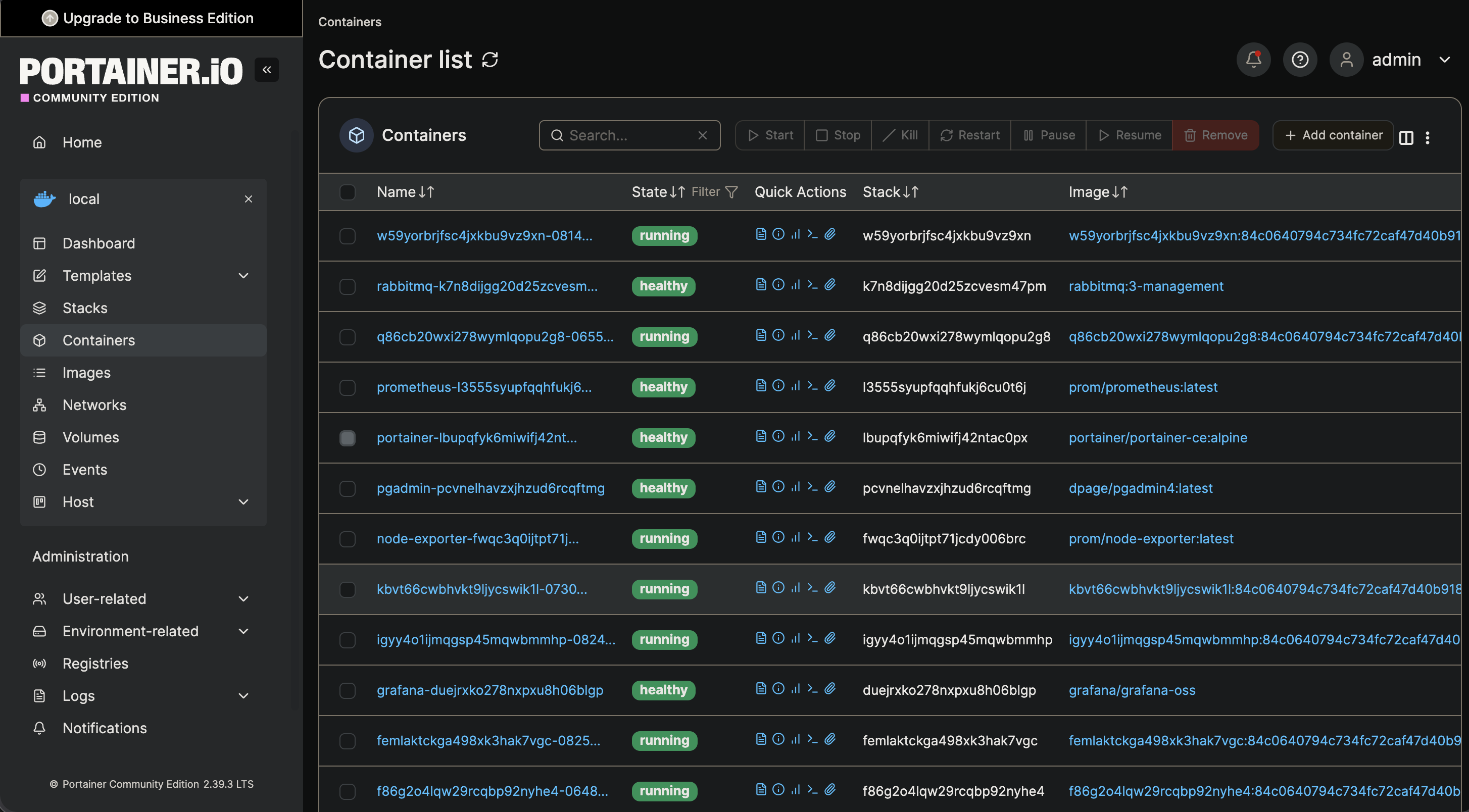
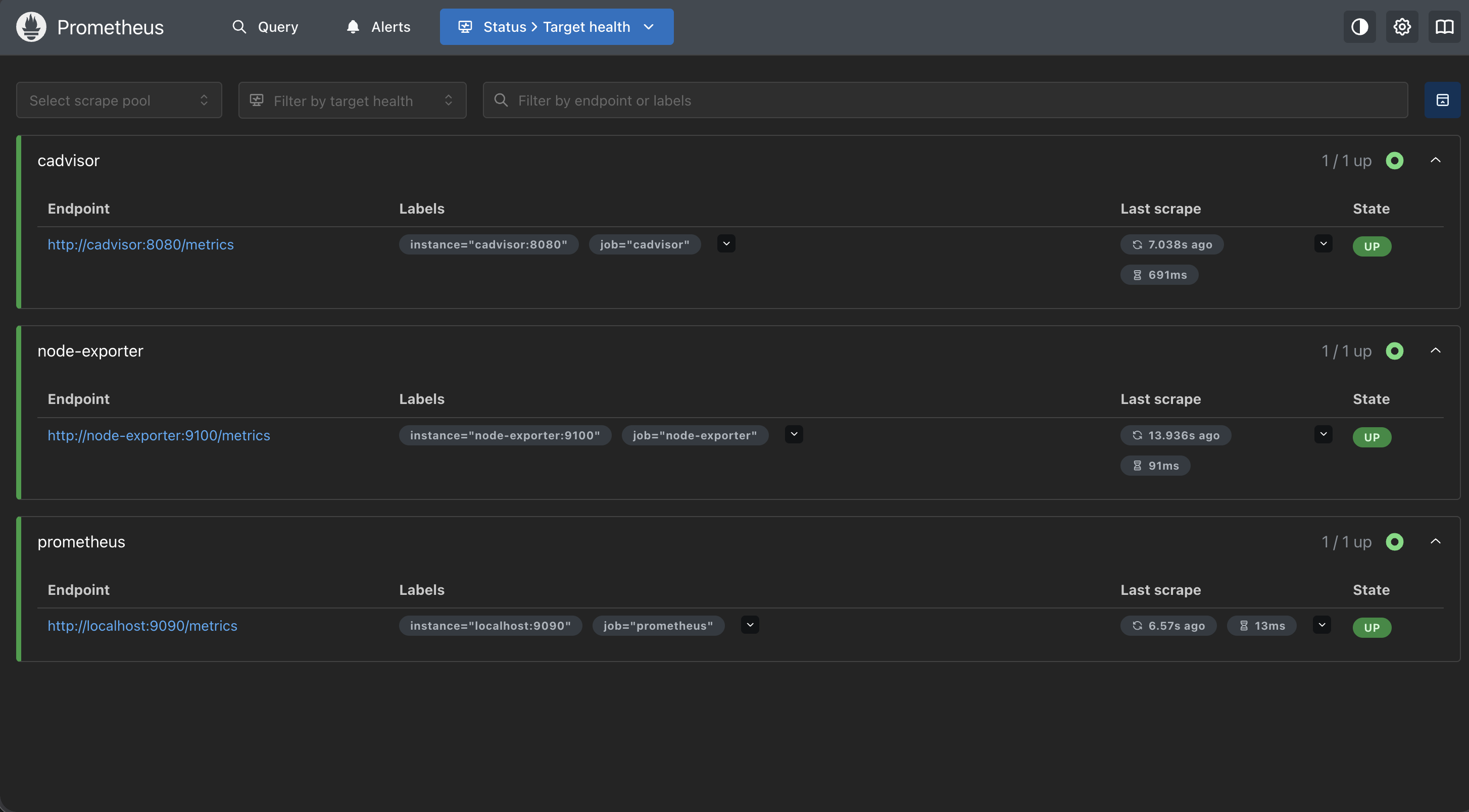
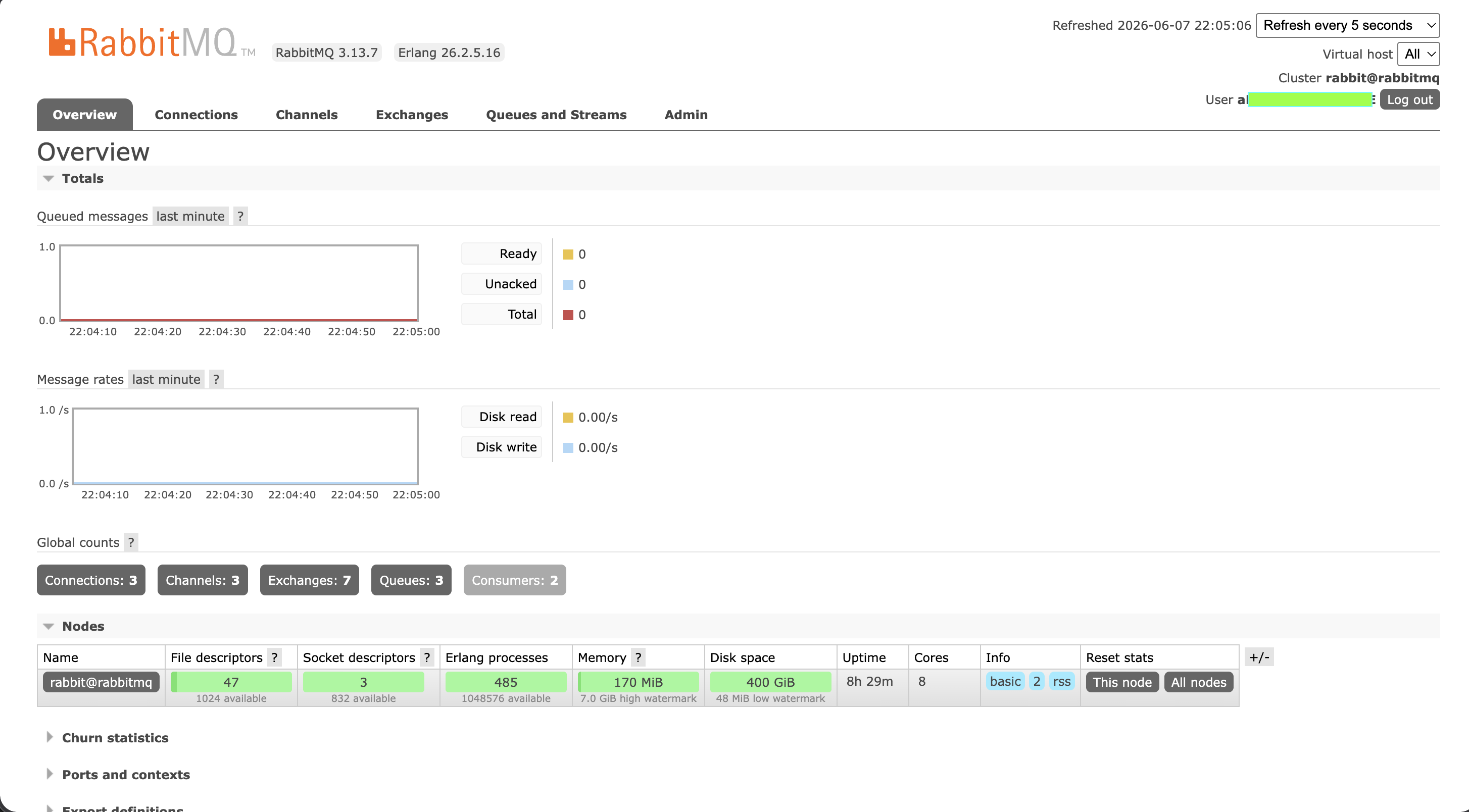
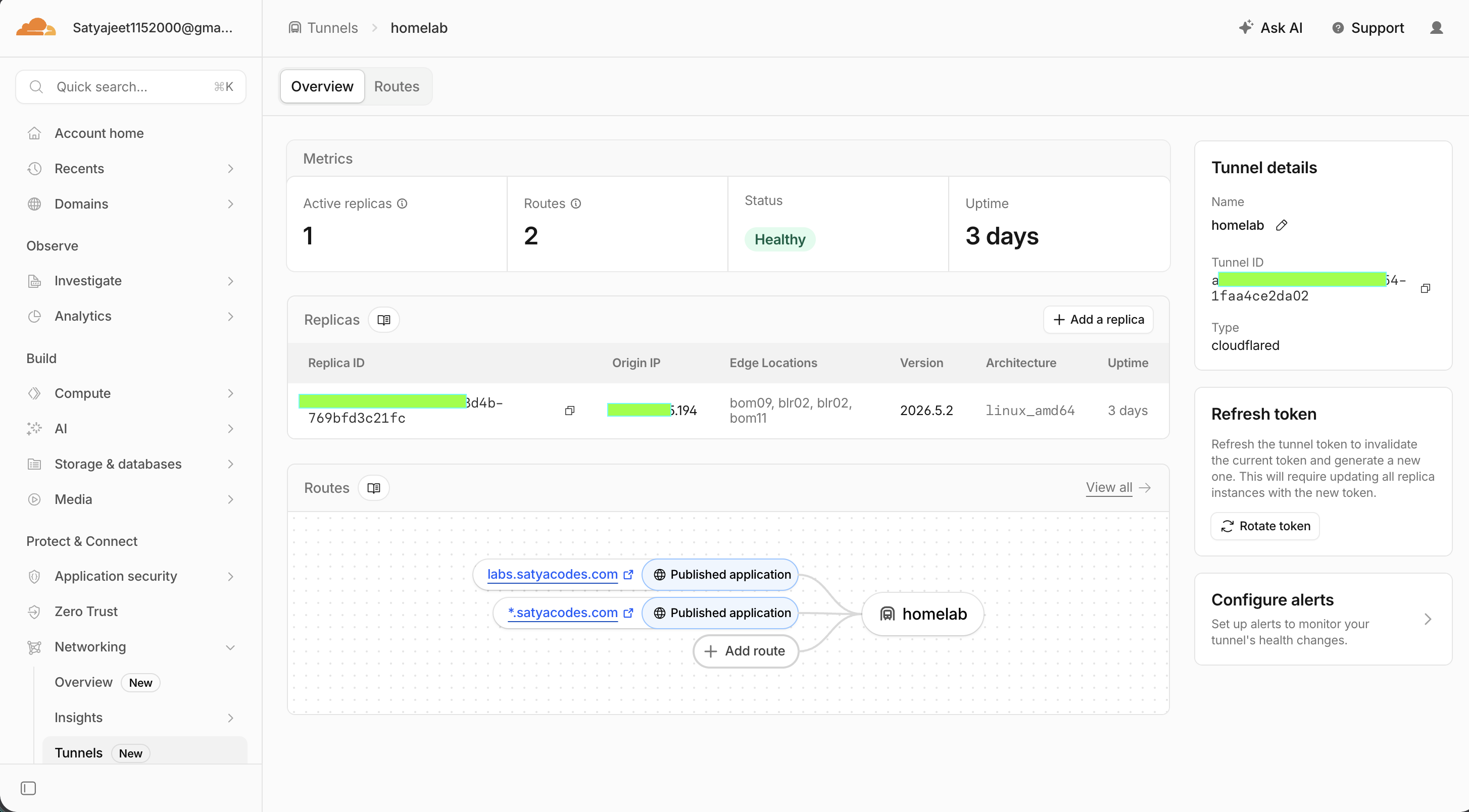
1. Hardware & OS Requirement
Current Laptop Configuration
- CPU: AMD Ryzen 5 3500U
- RAM: 20 GB
- Storage: 512 GB NVMe SSD
- GPU: AMD Radeon Vega (Integrated)
- Network Card: Intel dual band wireless-ac 8265
Why an Old Laptop Worked Surprisingly Well as a Server
Available hardware I already owned — but after weeks of use, it solved problems typical desktop homelabs need extra gear for.
Built-in Battery Backup (Unexpected UPS 😄)
One of the biggest advantages of using a laptop as a server is the built-in battery.
Unlike a desktop machine that immediately shuts down during power interruptions, the laptop automatically continues running.
That meant:
- no additional UPS purchase
- protection from short electricity cuts
- lower risk of sudden shutdowns
- safer long-running services
This ended up being more useful than I expected.
At the time of writing this blog, the server has been running for 45+ days continuously without a planned shutdown.
Fixing Laptop Sleep Behavior for Server Usage
There was one problem though.
By default, laptops are designed to sleep when the lid closes.
That behavior makes sense for normal use—but not for a server.
So I modified the power settings to make the laptop behave more like dedicated infrastructure.
Requirements:
- closing the lid should not suspend
- server should continue running
- containers should stay active
- SSH access should remain available
- only the display should turn off
After this change, I could close the lid, put the laptop aside, and treat it like a headless server.
That small configuration change made the setup feel much closer to a real VPS.
Fan Tuning (For Cooling… and Server Vibes 😄)
I added a script to keep the fan at ~90% speed during lower workloads — lower temps, fewer spikes, more noise. Not required or power-efficient, but it adds server vibes 😂
Why Debian Server?
I compared Ubuntu Server vs Debian Server. With limited resources and plans for Docker, databases, monitoring, and AI workloads, the priority was clear:
Use as few system resources as possible and leave maximum capacity for containers.
I also made one decision before installing anything:
This server would run without a GUI.
Since I wasn't going to connect a monitor and use it like a normal laptop, installing a desktop environment felt unnecessary.
My plan was:
- SSH for remote access
- Terminal-first management
- Docker for application deployment
- Web dashboards only when required
Skipping the GUI meant:
- lower RAM usage
- less CPU overhead
- fewer background processes
- faster boot times
- more resources available for containers
Here is the comparison that mattered most.
| Criteria | Ubuntu Server | Debian Server ✅ |
|---|---|---|
| Installation Size (minimal install) | ~3–5 GB | ~0.8–1.5 GB |
| Typical Idle RAM Usage (server install) | ~1–2 GB | ~500–800 MB |
| Package Availability | Excellent | Excellent |
| Stability | Very Stable | Extremely Stable |
| Community Support | Huge | Huge |
I chose Debian Server for lower idle RAM, smaller footprint, minimal services, long-term stability, and maximum Docker capacity. Ubuntu would have worked — but every saved MB mattered.
Less operating system. More server.
2. Network Setup (Local → Remote Access) — The First Problem
After Debian was installed, everything worked locally:
ssh user@192.168.1.2
But eventually I realized something important
Leaving home meant no SSH, no deployments, and no remote service management. This wasn't a server — just another computer in my house. I needed secure access from anywhere.
That became the first real infrastructure problem.
Exploring Solutions
- Dynamic DNS — depended on exposing ports
- Port forwarding — networking complexity and security concerns
- Traditional VPN — workable but extra setup and maintenance
Then I found Tailscale.
Why I Chose Tailscale
Tailscale felt like the simplest solution.
It created a private network between my devices without opening ports or touching the router. Access changed from:
ssh user@192.168.1.2
to:
ssh user@laptop
And suddenly the server became accessible from anywhere.
- No router configuration.
- No static IP.
- No public exposure.
- No networking headaches.
This was the first moment the old laptop stopped feeling like a local machine and started feeling like infrastructure.
3. Server Management & Monitoring Setup
At this point the server was running, containers were deployed, and remote access was working.
But I quickly realized something:
Running infrastructure without visibility feels like driving without a dashboard.
I had no idea:
- whether RAM usage was becoming dangerous
- which containers were consuming CPU
- whether storage would run out
- whether Docker services were healthy
- what would happen if something crashed overnight
So before adding more services, I decided to build a monitoring and management layer.
Researching Monitoring Tools
I explored multiple options:
- Netdata
- Nagios
- cPanel
- Grafana + Prometheus
Each tool had different strengths—some were easier to install, some focused more on server administration, and others prioritized simplicity or lower resource usage.
But I eventually selected Prometheus + Grafana.
And there is a funny reason behind that decision 😄
During one interview, I was asked:
"Have you worked with Prometheus and Grafana?"
My answer was something like:
"No… but I know the names."
and successfully rejected 👀
That moment stayed with me.
So when building this server, I decided to stop reading about these tools and actually start using them.
Monitoring Stack
- Prometheus → infrastructure and service metrics
- Grafana → dashboards
- cAdvisor → container resource usage
- Node Exporter → system metrics (CPU, RAM, disk, network)
- Portainer → Docker management
Together these covered server health, container performance, storage, CPU/memory trends, and running services.
4. Plan 1 — Building an Agentic Development Environment
The original goal: a fully autonomous AI-assisted dev environment at ₹0 infrastructure cost — understanding repos, maintaining context, routing across LLM providers, reducing API costs with local models, and eventually assisting development autonomously.
Architecture:
Paperclip
   ↓
Hermes Agent
   ↓
LiteLLM
   ↓
(OpenRouter + Gemini + NVIDIA + Local LLM)
Supporting infrastructure: PostgreSQL, Redis, Qdrant, Ollama.
Tool Overview
- Paperclip — open-source framework for running autonomous AI agent teams like a virtual company
- Hermes Agent — persistent agent runtime with a self-learning loop; improves over time instead of resetting each session
- LiteLLM — model gateway connecting OpenRouter, Gemini, NVIDIA API, and local LLMs behind one interface
- Ollama — local model execution to reduce API dependence and free-tier limits
Why I Dropped This Idea
It worked but wasn't practical daily.
Problem #1 — Local LLMs Consumed Too Much RAM
Running local models together with databases, retrieval systems, and agent services pushed memory usage much higher than expected.
Inference became expensive and overall responsiveness dropped.
Problem #2 — Agentic Development Was Too Slow
Each request passed through Agent → Retrieval → LiteLLM → Free APIs → Local fallback. Rate limits, slow inference, retries, and context handling made simple tasks drag. I spent more time waiting for AI than writing code — so I pivoted from autonomous development to shipping projects.
5. Plan 2 - Hosting Personal Projects Directly Using Containers
After dropping the agentic setup, I focused on real projects — including Tomato 🍅, a Zomato-like microservices food delivery platform. Initially: Frontend on Vercel, backends on Render, database on MongoDB Atlas. Simple, no maintenance — so I kept adding projects until Render hosted ~8 backend services.
The Hidden Cost of "Free Hosting"
Render's free tier had two problems.
Problem #1 — 15 Minute Spin Down
Inactive services suspend after 15 minutes. Every cold visit meant:
Request → Service Wake Up → Container Startup → Response
The result was noticeable delays before APIs became available.
For portfolio projects and demos, this created a poor experience because applications looked slow even when the actual implementation wasn’t.
My temporary solution?
I deployed Uptime Kuma (similar to UptimeRobot) to continuously ping services and keep them awake.
Technically, it worked.
But that introduced the second problem.
Problem #2 — Runtime Hour Limits
750 hours/month, shared across all services. With 8 services running 24/7:
750 Hr / (8 Services × 24 Hr) ≈ 3.9 Days
my monthly quota finished in roughly 3–4 days.
After that:
💀 Backend stopped 💀 APIs became unavailable 💀 Frontend broke 💀 Projects looked offline
At that point I started asking myself:
Why am I trying so hard to keep free hosting alive when I already own a server?
Migration — Hosting Directly on My Laptop
I already had the laptop, Docker, Linux, monitoring, and remote access. Projects moved from Render into containers:
Applications → Docker → Traefik → Laptop Server
New tooling:
- Docker — isolated, standardized deployments
- Traefik — reverse proxy, routing, SSL, multi-service access
- Infisical — centralized env vars and secrets
New problems: manual deploys (clone, build, restart), no CI/CD, and CGNAT blocking easy external access. I wasn't just hosting projects anymore — I was building my own cloud ☁️
6. Plan 3 - Turning My Laptop Into My Own Cloud
Self-hosting worked, but manual deploys didn't scale:
Pull Code → Build Image → Restart Container → Update Environment → Verify
Fine for one or two projects. I wanted a modern hosting platform experience — centralized management, CI/CD, database provisioning, env management, Git deploys, Docker support, self-hosted.
I wrote down the requirements.
The platform should provide:
- centralized project management
- automatic deployments (CI/CD)
- database provisioning
- environment variable management
- Git-based deployment workflows
- Docker compatibility
- self-hosting support
After researching different options, I narrowed the list down to two self-hosted PaaS platforms:
- Coolify
- Dokploy
Coolify vs Dokploy
| Feature | Coolify 🏆 | Dokploy |
|---|---|---|
| Deployment via Git | ✅ | ✅ |
| Built-in Databases | ✅ | Limited |
| Environment Management | ✅ | ✅ |
| Docker Support | ✅ | ✅ |
| UI & Project Management | More polished | Simpler |
| CI/CD Experience | More complete | Lightweight |
| Community & Ecosystem | Larger | Growing |
| Best For | Multi-service platforms | Simpler setups |
Dokploy was lightweight; Coolify was more complete for multiple projects, databases, and long-term ops. I chose Coolify 🏆 — Git deploys, centralized services, env vars, less overhead. The laptop stopped feeling like scattered containers and started feeling like a platform.
7. Global Access Using Network Tunnel
Infrastructure felt complete — but nothing was reachable outside my home network. No public apps, no remote sharing, not really a cloud. Root cause: CGNAT.
What is CGNAT?
Carrier-Grade NAT puts multiple customers behind shared public IPs. Port forwarding fails, exposing local services is hard, and inbound traffic is restricted.
First Attempt — Ngrok
Ngrok worked for quick tests but had temporary URLs, ugly domains, session limits, and wasn't permanent infrastructure. It solved access, not ownership.
Discovering Tunneling
Research led to Cloudflare Tunnel 🎉 — secure outbound connections from my server, no port forwarding, static IP, or public exposure of local infra. My laptop became reachable from anywhere.
Domains
Cloudflare's generated URLs were unusable. I planned two domains, then learned subdomain routing — one domain was enough:
www.satyacodes.com     → Portfolio
labs.satyacodes.com    → Self-hosted Platform
tomato.satyacodes.com  → Projects
I configured Cloudflare DNS, Tunnel, wildcard routing, and subdomain access. Every app got a clean URL. The setup finally felt like a cloud platform.
8. Completing Coolify Setup
Networking and public access were solved, but ops still felt fragmented — some services manual, others separate. I consolidated everything into Coolify as the single control plane.
So I made one final change.
I started consolidating existing infrastructure into Coolify and turned it into the single control plane for the entire server.
Services migrated included:
- Grafana
- Prometheus
- Portainer
- PostgreSQL
- cAdvisor
- Node Exporter
The goal wasn’t to reduce containers.
The goal was to reduce operational complexity.
This immediately improved the experience.
Now:
- services became accessible through domains
- deployments became centralized
- routing worked automatically
- service management moved into one interface
- infrastructure became easier to maintain
Since Coolify internally uses Traefik for routing, I no longer had to manually manage access patterns across projects and services.
9. Final Architecture — What the Setup Looks Like Today
At the beginning, I wanted a free AI development environment.
That idea evolved multiple times.
Agentic development became project hosting.
Project hosting became infrastructure.
Infrastructure became a self-hosted platform.
After several rebuilds, experiments, and migrations, the final setup looks something like this:
Internet
   ↓
Cloudflare Tunnel
   ↓
DNS + Routing
   ↓
Coolify
   ↓
Traefik
   ↓
Docker Services
   ↓
Applications + Databases
Current capabilities:
- self-hosted application deployments
- centralized project management
- Git-based deployments
- containerized workloads
- monitoring and observability
- environment management
- secure public access
- remote infrastructure control
And all of this still runs on:
💻 One old laptop.
10. Conclusion — What I Learned
Infrastructure isn't about owning servers — it's about reducing friction.
- Simplicity scales better than complexity
- Automation beats manual optimization
- Free tiers work until projects grow
- Self-hosting solves some problems and creates new ones
- Shipping products matters more than perfect architecture
- Rebuilding beats maintaining bad decisions
- Understanding infrastructure makes development easier
You don't need expensive hardware to learn infrastructure — just curiosity and patience to break things and rebuild.
The funniest part?
I started trying to build a free AI setup and accidentally built my own cloud ☁️. I'd do it again 🚀